

How it works
Three steps and you’re off. Your child needs no e-mail or password.
The child picks an animal
On their phone they choose a nickname, an avatar and their age. Nothing is sent anywhere yet.
A parent scans the QR code
In the app, the parent scans the code on the child’s phone, checks the details and gives consent.
Earn badges
The child sends a completed task with a photo and the parent confirms it. All tasks done = a badge.
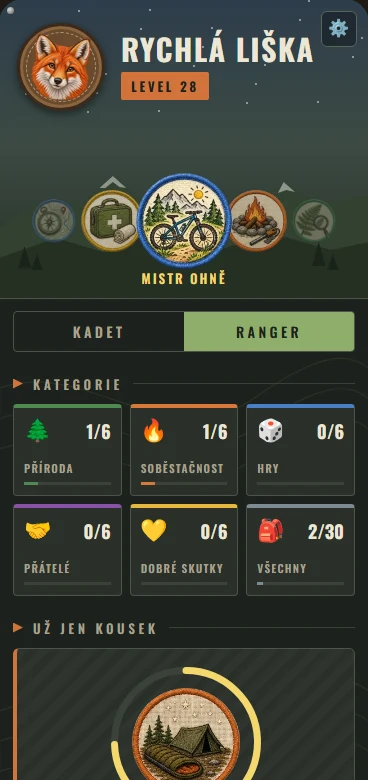
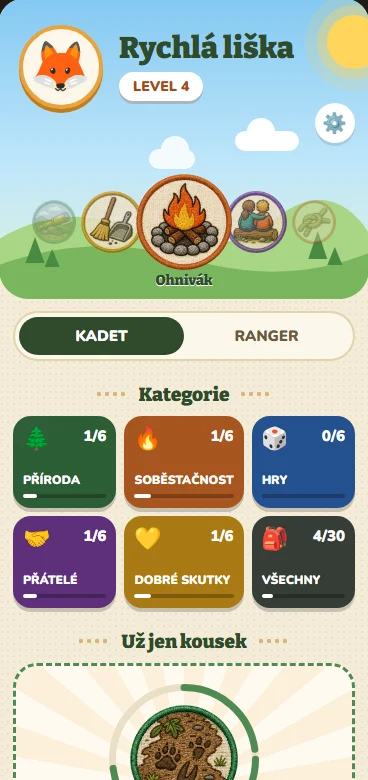
Cadet and Ranger
Two age groups – each with its own badges and look.
Cadet
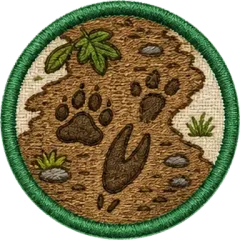
Playful tasks with a parent: animal tracks, a first knot, little chef. A bright and cheerful “Day in the woods”.
Ranger
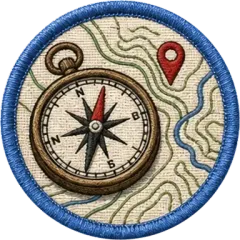
Harder, more independent challenges: map and compass, a night outdoors, first aid. A rugged field journal.
For parents
The app is built to be safe for children aged 6 to 15.
Parental consent
Your child’s data is stored only after you consent. Only you confirm tasks.
No names
Your child uses a nickname. Friends can only be added in person, with both parents’ consent.
No ads
No ads and no tracking. Data is stored in the EU (Frankfurt).
Get outside
Tasks happen outdoors and at home, not on a screen. The app is just the expedition journal.
Frequently asked questions
Didn’t find an answer? Write to us.
How much does the app cost?
The app is currently in a free test phase.
Does my child need their own phone?
Yes, the child uses the app on their own phone. The parent uses the app on their own phone.
My child reinstalled the app or has a new phone. What now?
In the app, open Edit child → Child’s phone → Connect child’s phone and let your child scan the QR code. All badges are kept.
Who can see task photos?
Only parents and the adults you added to your child. Photos are deleted automatically after 90 days.
Why does the app ask for a region?
For the weather in the header and for anonymous regional statistics without names.
How do I delete my account and all data?
In the app: Settings → Delete my account. Details, including how to do it without the app, are on the Account and data deletion page.
Contact
We’re happy to read ideas, bug reports and praise.
Operator
Jiří Pazdera
Company ID 76517675
Úhonická 508, 252 61 Jeneč